

|
Name |
PGT+ |
|---|---|
|
Google Play Link |
GET IT ON
Google Play
|
|
Category |
Tools |
|
Developer |
Trilokia Inc. |
| Last version | 0.26.4 |
|
Updated |
|
|
Compatible with |
Android 7.0+ |
Introduction to PGT+ APK
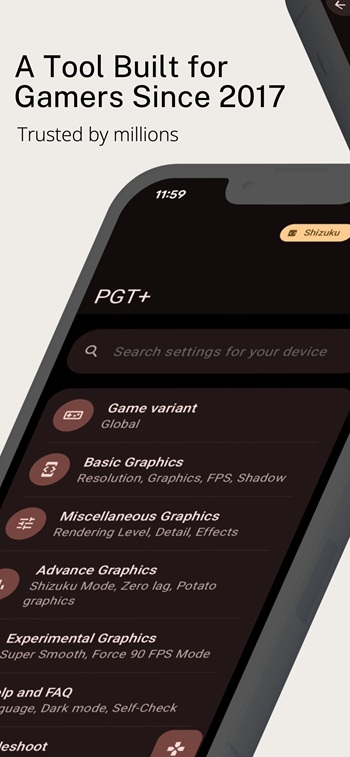
PGT+ is a gaming utility app built for Android users who want more control over graphics and performance settings. It works as a toolkit for adjusting frame rate, resolution, visual effects, and other technical options that can change how supported mobile games run. The main goal is simple: smoother gameplay, fewer slowdowns, and settings that match your phone’s hardware.
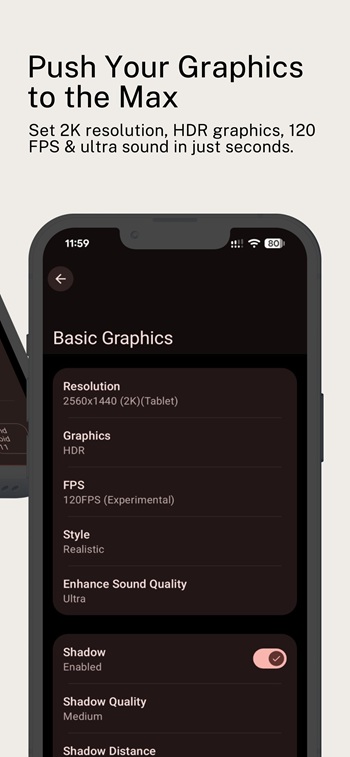
The app is mainly used to fine-tune game performance. Users can raise FPS limits, adjust resolution, change shadow quality, apply anti-aliasing, and try different graphics presets based on what their device can handle. That makes it useful for both older phones that need lighter settings and stronger phones that can push higher visual quality. For players who hate stutter, lag spikes, or random frame drops, that kind of control can make a real difference.
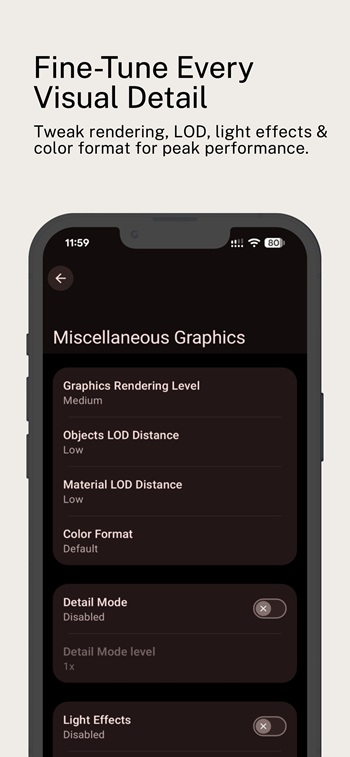
One of the biggest draws is how many settings are packed into one place. PGT+ includes basic, advanced, and experimental tools, along with options tied to rendering and hardware behavior. It also supports many game versions, including Global, CN, KR, VN, TW, Lite, and beta builds. That broad compatibility helps users who switch between different regional releases and do not want to juggle separate tools for each one.
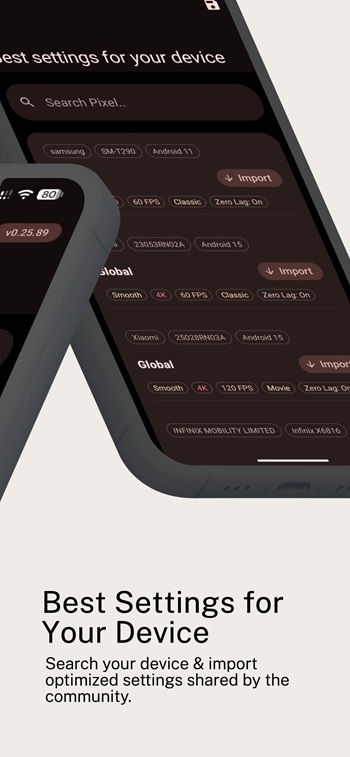
Convenience is another strong point. Instead of digging through hidden files or trying random tweaks from forums, users get a cleaner setup with organized controls and built-in guidance for things like Shizuku or ADB. There is also backup support for graphics settings, which is handy if you like testing changes but do not want to rebuild everything from scratch after one bad tweak. The interface sounds more polished than the usual “mystery button” tools, which is always a relief.
PGT+ can be especially helpful for players chasing stable frame rates in fast matches. Higher FPS settings can make motion look smoother, and lower resolution options can reduce load on weaker devices. On the visual side, some users may prefer sharper textures or HDR-style graphics if their phone can manage it. Audio tuning is included too, which adds a little extra control for people who care about how a game feels as much as how it looks.
There are still some limits to keep in mind. Results can vary a lot depending on the phone, Android version, and the game update you are running. Some features may need extra setup, and aggressive settings can cause crashes, heat, battery drain, or unstable performance instead of fixing it. Permission requests such as storage, internet, and background app control may also make cautious users pause before installing. It is the kind of app that works best when used carefully, not like a magic button that fixes everything in one tap.
This app suits mobile gamers who like adjusting settings by hand and want more say over performance than default game menus usually allow. It makes the most sense for players dealing with lag on low-end devices, users trying to reach higher frame rates on capable phones, or anyone who enjoys testing graphics combinations to find a better balance. If you are the type who tweaks settings first and plays second, this will probably feel strangely satisfying.
FAQs PGT+
What is PGT+ used for?
+
PGT+ is used to adjust graphics, frame rate, resolution, and other performance settings in supported mobile games so they can run more smoothly or look better.
Which devices can run PGT+?
+
PGT+ is designed for Android devices and supports a wide range of Android versions, though actual results depend on your phone’s hardware and software.
Can PGT+ help reduce lag in games?
+
PGT+ can help reduce lag by lowering graphics load, changing resolution, and applying performance-focused settings, but the improvement depends on the device and game version.
Does PGT+ support different game versions?
+
Yes, PGT+ supports multiple game versions, including Global, CN, Lite, KR, VN, TW, and beta releases, which makes it useful for players on different servers.
Are there any risks when using PGT+?
+
Some settings may cause overheating, battery drain, crashes, or unstable gameplay if pushed too far, so it is better to test changes carefully and save backups first.
Discover More Interesting Apps
-
 Mod
Mod
Nzb360
v25.2
13.82 Mb
Updated -
Mod
CastDuo
v3.1.0
81.43 Mb
Updated -
PDF Editor
v6.4.2
76.30 Mb
Updated -
Nebula Boost
v1.5.5
14.11 Mb
Updated -
Mixing Station
v3.2.0
32.67 Mb
Updated -
VPN.lat
v3.9.61
40.43 Mb
Updated -
Mod
Download Hub Movies
v7.3.6
62.27 Mb
Updated -
Mod
ShareBox
v1.5.0
86.99 Mb
Updated -
Urban VPN
v2.2.4
20.00 Mb
Updated -
Mod
DNC Panel
v36.0
64 MB
Updated









Share Your Thoughts